Discord Fonts Generator: Fancy Names & Messages
Create fancy Discord fonts for your display name, server nickname, channel names and messages. Copy any style and paste it into Discord.
- 1 Type your text
- 2 Pick a style
- 3 Copy & paste
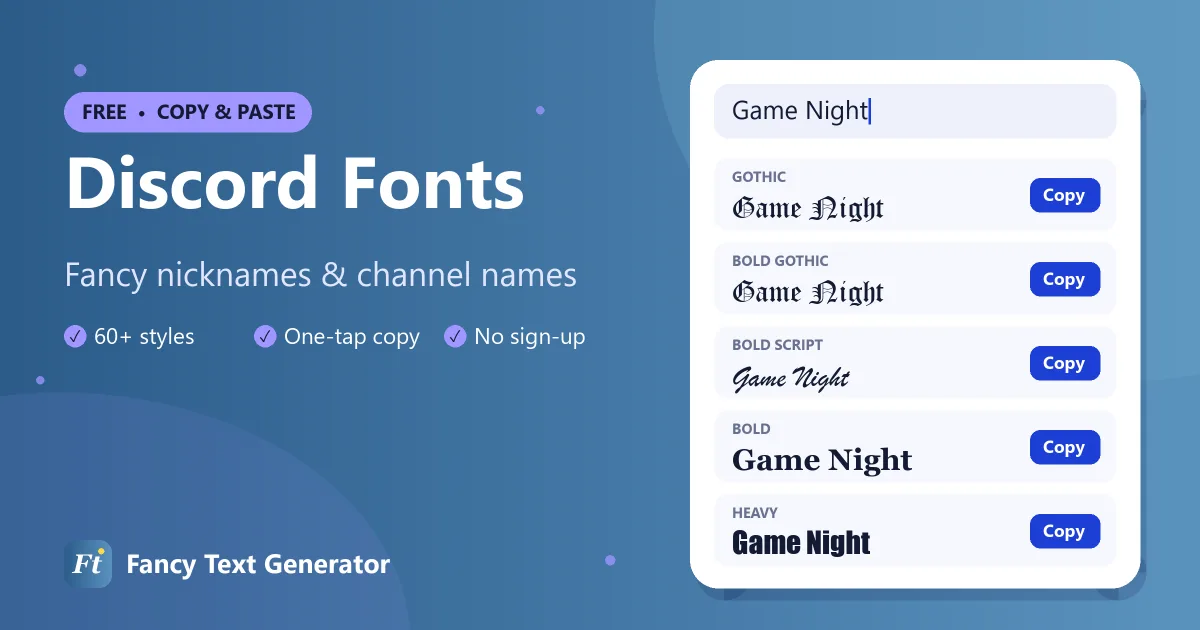
Discord has handy markdown for bold and italics, but it cannot give you gothic letters, bubble text or a decorated nickname. This Discord fonts generator can. Turn any text into 60+ styles such as 𝔊𝔬𝔱𝔥𝔦𝔠, 𝕕𝕠𝕦𝕓𝕝𝕖-𝕤𝕥𝕣𝕦𝕔𝕜, 亗 ɢᴀᴍᴇʀ 亗 and ★彡 𝗦𝘁𝗮𝗿𝘀 彡★, then paste it into your profile, a server or a chat.
The styles are Unicode, so every member of your server sees them on desktop, web and mobile.
How to Use Fancy Fonts on Discord
Change your display name or send a styled message in four steps.
-
Create your text
Type your nickname, channel name or message into the Discord fonts generator above.
-
Copy a style
Use the Decorated or Gothic filter for popular Discord looks, then tap Copy.
-
Open Discord
Go to User Settings › Profiles for your display name, or right-click yourself in a server and choose Edit Server Profile for a nickname.
-
Paste and save
Paste the fancy text into the field or message box and save or send it.
Discord Font Examples
“Game Night” in styles that look great on Discord.
| Style | Example |
|---|---|
| Bold | 𝐆𝐚𝐦𝐞 𝐍𝐢𝐠𝐡𝐭 |
| Italic | 𝐺𝑎𝑚𝑒 𝑁𝑖𝑔ℎ𝑡 |
| Bold Italic | 𝑮𝒂𝒎𝒆 𝑵𝒊𝒈𝒉𝒕 |
| Script (Cursive) | 𝒢𝒶𝓂ℯ 𝒩𝒾ℊ𝒽𝓉 |
| Bold Script | 𝓖𝓪𝓶𝓮 𝓝𝓲𝓰𝓱𝓽 |
| Gothic | 𝔊𝔞𝔪𝔢 𝔑𝔦𝔤𝔥𝔱 |
| Bold Gothic | 𝕲𝖆𝖒𝖊 𝕹𝖎𝖌𝖍𝖙 |
| Double Struck | 𝔾𝕒𝕞𝕖 ℕ𝕚𝕘𝕙𝕥 |
| Bold Sans | 𝗚𝗮𝗺𝗲 𝗡𝗶𝗴𝗵𝘁 |
| Monospace | 𝙶𝚊𝚖𝚎 𝙽𝚒𝚐𝚑𝚝 |
| Bubble | Ⓖⓐⓜⓔ Ⓝⓘⓖⓗⓣ |
| Small Caps | ɢᴀᴍᴇ ɴɪɢʜᴛ |
| Upside Down | ʇɥƃᴉu ǝɯɐƃ |
Discord Markdown vs Fancy Fonts
Discord supports markdown formatting in messages:
**bold**,*italic*,__underline__and~~strikethrough~~`inline code`and```code blocks```# Heading,-# small textand||spoiler||
Markdown only works inside messages. Display names, server nicknames, server names, channel names and role names ignore it, which is where fancy Unicode fonts come in. You can also combine the two: a 𝔤𝔬𝔱𝔥𝔦𝔠 word inside a # Heading looks great in announcement channels.
Where Fancy Fonts Work on Discord
- Display name and server nicknames: nicknames can be up to 32 characters long.
- Server names: give your community a distinctive name.
- Channel and category names: styled channel names like 「📢」𝗮𝗻𝗻𝗼𝘂𝗻𝗰𝗲𝗺𝗲𝗻𝘁𝘀 make a server easier to navigate.
- Role names: stylish role names show up in the member list.
- Messages and bios: paste fancy text anywhere you can type.
Your unique username only allows lowercase letters, numbers, periods and underscores, so use fancy fonts for your display name instead.
Discord Nickname Ideas
- 亗 ꜱʜᴀᴅᴏᴡ 亗
- ꧁༺ 𝓝𝓲𝓰𝓱𝓽 𝓞𝔀𝓵 ༻꧂
- ▄︻デ 𝗦𝗡𝗜𝗣𝗘𝗥 ══━一
- ༒ 𝕯𝖆𝖗𝖐 𝕶𝖓𝖎𝖌𝖍𝖙 ༒
- ᴾᴿᴼ 𝙂𝘼𝙈𝙀𝙍 ✘
Tips for Discord Fonts
- Keep mentions easy. People @mention you by typing your name, and fully styled names are hard to type. Add a plain word too.
- Respect server rules. Some servers require readable nicknames so moderators can identify members.
- Test channel names. Discord may change spaces and capital letters in some channel names, so preview after saving.
Frequently Asked Questions
How do I change my font on Discord?
Discord has no font setting for names, so type your text in the Discord fonts generator above, copy a style and paste it into your display name, server nickname or message.
Can I use fancy fonts in my Discord username?
No. Discord usernames only allow lowercase letters, numbers, periods and underscores. Use fancy fonts in your display name or server nickname.
Can I use fancy fonts in channel names?
Yes. Channel, category and role names accept Unicode characters, so styled letters and symbols work there.
What is the difference between Discord markdown and fancy fonts?
Markdown (like **bold**) is formatting that only works in messages. Fancy fonts are special characters, so they work everywhere, including names, channels and roles.
Do other people see my Discord font?
Yes. Fancy fonts are Unicode characters, so everyone sees them on desktop, web and mobile.
Level Up Your Discord Server
Stylish nicknames, channel names and roles make a community feel unique. Try the Discord fonts above, then browse our gothic text generator and Twitter fonts for more ideas.