WhatsApp Fonts Generator: Stylish Text for Chats
Send messages, statuses and group names in 60+ stylish WhatsApp fonts. Type your message, copy a style and paste it into any chat.
- 1 Type your text
- 2 Pick a style
- 3 Copy & paste
WhatsApp has a few built-in formatting tricks, but it cannot change the actual look of your letters. This WhatsApp fonts generator can: it converts your message into 60+ stylish fonts such as 𝓒𝓾𝓻𝓼𝓲𝓿𝓮, 𝔊𝔬𝔱𝔥𝔦𝔠, Ⓑⓤⓑⓑⓛⓔ and decorated ꧁ 𝓦𝓲𝓷𝓰𝓼 ꧂ that you can paste into any chat, status or group name.
The styles are Unicode characters, so they display on your friends’ phones whether they use Android, iPhone, WhatsApp Web or the desktop app.
How to Send Stylish Fonts on WhatsApp
Four steps to send a message in a different font.
-
Write your message
Type your message, status or group name into the WhatsApp fonts generator above.
-
Choose and copy a style
Scroll through the styles, pick one and tap Copy.
-
Open WhatsApp
Open a chat, the status editor, the group name field or your profile’s About section.
-
Paste and send
Long-press the text box, tap Paste and send it, or save your About or group name.
WhatsApp Font Examples
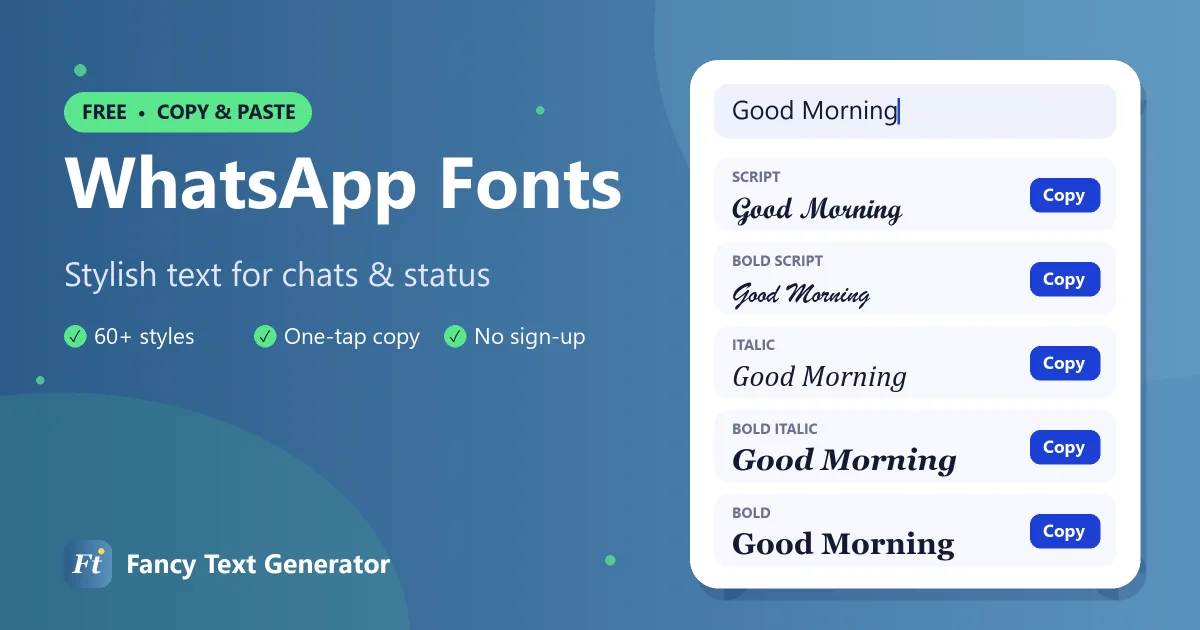
Popular WhatsApp fonts, shown with a classic “Good Morning” message.
| Style | Example |
|---|---|
| Bold | 𝐆𝐨𝐨𝐝 𝐌𝐨𝐫𝐧𝐢𝐧𝐠 |
| Italic | 𝐺𝑜𝑜𝑑 𝑀𝑜𝑟𝑛𝑖𝑛𝑔 |
| Bold Italic | 𝑮𝒐𝒐𝒅 𝑴𝒐𝒓𝒏𝒊𝒏𝒈 |
| Script (Cursive) | 𝒢ℴℴ𝒹 ℳℴ𝓇𝓃𝒾𝓃ℊ |
| Bold Script | 𝓖𝓸𝓸𝓭 𝓜𝓸𝓻𝓷𝓲𝓷𝓰 |
| Gothic | 𝔊𝔬𝔬𝔡 𝔐𝔬𝔯𝔫𝔦𝔫𝔤 |
| Bold Gothic | 𝕲𝖔𝖔𝖉 𝕸𝖔𝖗𝖓𝖎𝖓𝖌 |
| Double Struck | 𝔾𝕠𝕠𝕕 𝕄𝕠𝕣𝕟𝕚𝕟𝕘 |
| Bold Sans | 𝗚𝗼𝗼𝗱 𝗠𝗼𝗿𝗻𝗶𝗻𝗴 |
| Monospace | 𝙶𝚘𝚘𝚍 𝙼𝚘𝚛𝚗𝚒𝚗𝚐 |
| Bubble | Ⓖⓞⓞⓓ Ⓜⓞⓡⓝⓘⓝⓖ |
| Small Caps | ɢᴏᴏᴅ ᴍᴏʀɴɪɴɢ |
| Upside Down | ƃuᴉuɹoɯ pooƃ |
WhatsApp’s Built-In Formatting (and What It Can’t Do)
WhatsApp supports simple formatting with symbols around your text:
- Bold: put asterisks on both sides,
*text* - Italic: use underscores,
_text_ - Strikethrough: use tildes,
~text~ - Monospace: use three backticks,
```text``` - Inline code, quotes and lists: newer versions also support
`text`, a>at the start of a line for a quote, and-or1.for lists.
These tricks only work inside messages and captions, and they only offer bold, italic, strikethrough and monospace. For cursive, gothic, bubble or decorated styles, and for fancy text in your About section or group names, where formatting symbols do not work, use the WhatsApp fonts generator above.
Where Fancy Fonts Work on WhatsApp
- Chats and group chats: any message you can type, you can style.
- Status updates: paste fancy text into a text status or a photo caption.
- About: your profile’s About line is limited to 139 characters and has no formatting, so fancy fonts are the only way to style it.
- Your name: the profile name your contacts see if they have not saved your number.
- Group names and descriptions: make a family or friends group easy to spot.
- Channels and communities: style names and posts to build a recognisable brand.
WhatsApp Status and Message Ideas
- 🌞 𝓖𝓸𝓸𝓭 𝓜𝓸𝓻𝓷𝓲𝓷𝓰 🌞
- ꧁ 𝓗𝓪𝓹𝓹𝔂 𝓑𝓲𝓻𝓽𝓱𝓭𝓪𝔂 ꧂
- 𝗕𝘂𝘀𝘆 · 𝗖𝗮𝗹𝗹𝘀 𝗼𝗻𝗹𝘆
- ★彡 𝗙𝗮𝗺𝗶𝗹𝘆 𝗚𝗿𝗼𝘂𝗽 彡★
- ᴀᴠᴀɪʟᴀʙʟᴇ ✓
Tips for WhatsApp Fonts
- Do not mix with formatting symbols. Fancy characters are already styled, so wrapping them in *asterisks* rarely makes a difference.
- Keep business messages clear. If you use WhatsApp Business, style a heading and keep prices, addresses and instructions in plain text.
- Be kind to older phones. Most people see every style correctly, but a very old phone may show boxes for rare characters. Bold, italic and script are the safest.
- Searching chats: WhatsApp search looks for plain letters, so a message written fully in fancy text may be harder to find later.
Frequently Asked Questions
How do I change the font style on WhatsApp?
WhatsApp only offers bold, italic, strikethrough and monospace via symbols. For other fonts, type your text in the WhatsApp fonts generator above, copy a style and paste it into your chat, status or About.
How do I write bold text on WhatsApp?
Put an asterisk on both sides of your text, like *hello*. You can also copy a Bold style from the generator, which works in places where asterisks do not, such as your About section and group names.
Can I use fancy fonts in my WhatsApp About?
Yes. The About field does not support formatting symbols, but it accepts fancy Unicode text. Just keep it within 139 characters.
Will my friends see the same font?
Yes. The styled letters are Unicode characters, so they look the same on Android, iPhone, WhatsApp Web and the desktop app, as long as the device is reasonably up to date.
Is it safe to use a WhatsApp fonts generator?
Yes. This tool runs in your browser and does not need access to your WhatsApp account, contacts or messages. You simply copy and paste.
Add Style to Every Chat
From good-morning messages to birthday wishes and group names, stylish WhatsApp fonts make everyday chats feel special. Try the styles above, or visit our Facebook fonts and cursive text generator for more.