Twitter (X) Fonts Generator: Bold & Fancy Text
Add bold, italic and fancy fonts to your posts, display name and bio on X (formerly Twitter). Type, copy, paste.
- 1 Type your text
- 2 Pick a style
- 3 Copy & paste
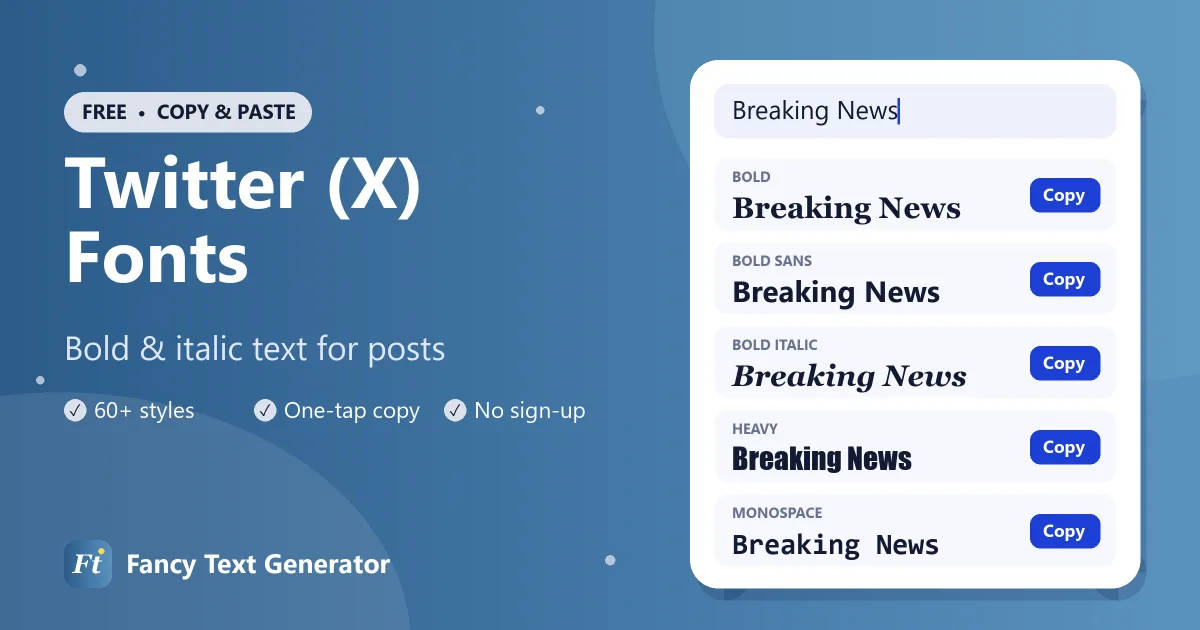
Posts on X (formerly Twitter) are plain text: there is no bold or italic button for most accounts. This Twitter fonts generator converts your words into 60+ Unicode styles, like 𝐛𝐨𝐥𝐝, 𝘪𝘵𝘢𝘭𝘪𝘤, 𝚖𝚘𝚗𝚘𝚜𝚙𝚊𝚌𝚎 and 𝓼𝓬𝓻𝓲𝓹𝓽, which you can paste into posts, replies, your display name and your bio.
Because they are characters rather than formatting, they look the same in the X app, on the website and in embedded posts.
How to Use Fancy Fonts on Twitter (X)
Add styled text to a post or your profile in four steps.
-
Type your text
Enter your post, name or bio text into the Twitter fonts generator above.
-
Copy a style
Choose a style such as Bold Sans for emphasis and tap Copy.
-
Open X
Start a new post or reply, or go to your profile and tap Edit profile.
-
Paste and post
Paste the styled text, check the character count, and post or save.
Twitter (X) Font Examples
“Breaking News” in styles that work well on X.
| Style | Example |
|---|---|
| Bold | 𝐁𝐫𝐞𝐚𝐤𝐢𝐧𝐠 𝐍𝐞𝐰𝐬 |
| Italic | 𝐵𝑟𝑒𝑎𝑘𝑖𝑛𝑔 𝑁𝑒𝑤𝑠 |
| Bold Italic | 𝑩𝒓𝒆𝒂𝒌𝒊𝒏𝒈 𝑵𝒆𝒘𝒔 |
| Script (Cursive) | ℬ𝓇ℯ𝒶𝓀𝒾𝓃ℊ 𝒩ℯ𝓌𝓈 |
| Bold Script | 𝓑𝓻𝓮𝓪𝓴𝓲𝓷𝓰 𝓝𝓮𝔀𝓼 |
| Gothic | 𝔅𝔯𝔢𝔞𝔨𝔦𝔫𝔤 𝔑𝔢𝔴𝔰 |
| Bold Gothic | 𝕭𝖗𝖊𝖆𝖐𝖎𝖓𝖌 𝕹𝖊𝖜𝖘 |
| Double Struck | 𝔹𝕣𝕖𝕒𝕜𝕚𝕟𝕘 ℕ𝕖𝕨𝕤 |
| Bold Sans | 𝗕𝗿𝗲𝗮𝗸𝗶𝗻𝗴 𝗡𝗲𝘄𝘀 |
| Monospace | 𝙱𝚛𝚎𝚊𝚔𝚒𝚗𝚐 𝙽𝚎𝚠𝚜 |
| Bubble | Ⓑⓡⓔⓐⓚⓘⓝⓖ Ⓝⓔⓦⓢ |
| Small Caps | ʙʀᴇᴀᴋɪɴɢ ɴᴇᴡs |
| Upside Down | sʍǝu ƃuᴉʞɐǝɹq |
Where Fancy Fonts Work on X
- Posts and replies: emphasise a key phrase or add a styled heading to a thread.
- Display name: up to 50 characters, and it accepts most Unicode styles.
- Bio: up to 160 characters of text, including styled characters.
- Lists and Communities: style list names and community posts.
- Not your @handle: usernames only allow letters, numbers and underscores.
Character Counts and Fancy Text
X counts characters in a weighted way, and many fancy letters, including bold, italic and script, are stored as characters outside the basic range that some apps count as two. In practice, a heavily styled post may reach the limit sooner than a plain one. Style a few key words and keep the rest plain to make the most of your space.
Popular Twitter Font Styles
Bold and bold sans
The most useful styles on X. Use 𝗯𝗼𝗹𝗱 to highlight the main point of a post or number the parts of a thread (𝟏/, 𝟐/, 𝟑/).
Italic
𝘐𝘵𝘢𝘭𝘪𝘤𝘴 for titles of books, films and quotes.
Monospace
𝚖𝚘𝚗𝚘𝚜𝚙𝚊𝚌𝚎 gives a techy, code-like look loved by developers and gamers.
Strikethrough
C̶r̶o̶s̶s̶ ̶o̶u̶t̶ words for jokes and corrections.
Accessibility on X
Screen readers may announce styled letters as mathematical symbols or skip them entirely. Many X users rely on screen readers, so avoid writing whole posts in fancy fonts and never put essential information, such as links, dates or instructions, only in styled text.
Frequently Asked Questions
How do you bold text on Twitter (X)?
Most X accounts have no bold button, so type your text in the Twitter fonts generator above, copy the Bold or Bold Sans style and paste it into your post.
Can I use fancy fonts in my Twitter display name?
Yes. Display names accept most Unicode characters, so you can style yours. Your @handle only allows letters, numbers and underscores.
Do fancy fonts count as more characters on X?
They can. Many styled letters are counted as two characters, so a fully styled post will reach the limit faster than a plain one.
Can people search for posts written in fancy fonts?
Search works best with plain text. Styled letters are different characters, so keep keywords and hashtags in plain text.
Is using fancy text on X allowed?
Yes. Fancy fonts are ordinary Unicode characters. Just avoid using them to impersonate other accounts.
Post With Personality
A bold hook or a styled display name helps your posts get noticed on a busy timeline. Try the Twitter fonts above, and keep your look consistent with our Discord fonts and Instagram fonts.