Snapchat Fonts Generator: Fancy Text for Snaps
Create cute, bold and aesthetic Snapchat fonts for your display name, chats and Snap captions, then copy and paste them in one tap.
- 1 Type your text
- 2 Pick a style
- 3 Copy & paste
Snapchat’s built-in caption styles are fun, but there are only a handful of them and they are not available in chats or your profile. This Snapchat fonts generator gives you 60+ extra styles, like ⓑⓤⓑⓑⓛⓔ letters, 𝓬𝓾𝓻𝓼𝓲𝓿𝓮, 𝗯𝗼𝗹𝗱 and ꜱᴍᴀʟʟ ᴄᴀᴘꜱ, that you can copy and paste into Snapchat anywhere you can type.
Every style is made from Unicode characters, so your friends see exactly what you see on their iPhone or Android phone.
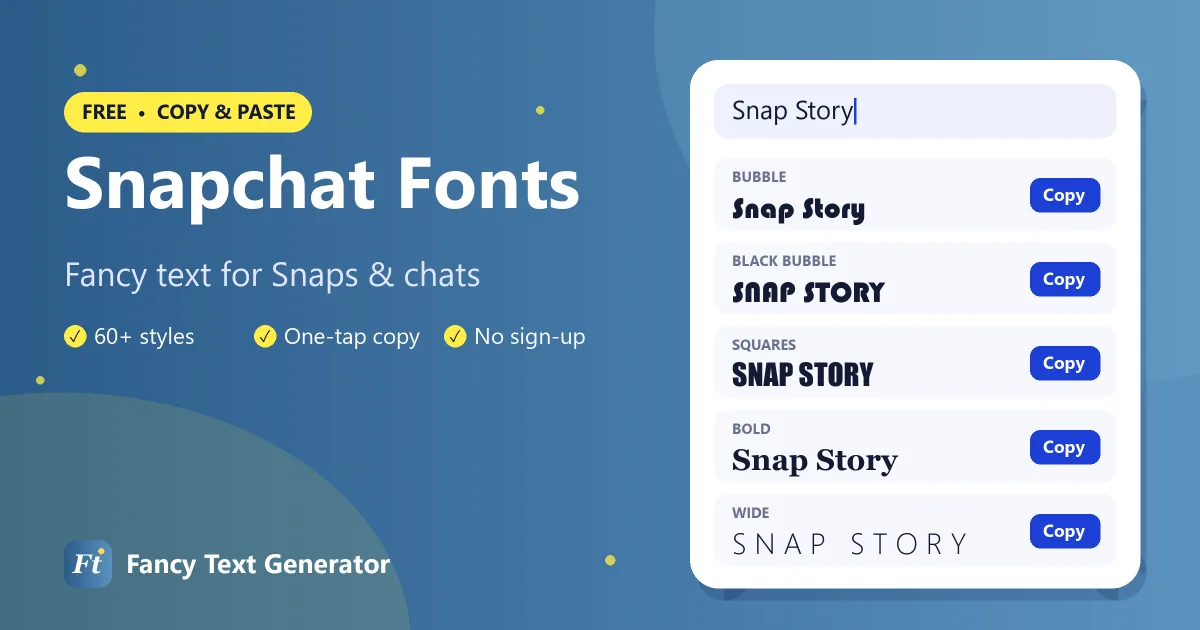
How to Use Different Fonts on Snapchat
Here is how to add a fancy font to a Snap caption or chat message.
-
Generate your text
Type your caption, name or message into the Snapchat fonts generator above.
-
Copy a style
Find a style you like and tap Copy. Use the Bubble or Aesthetic filters for popular Snapchat looks.
-
Open Snapchat
Take a Snap and tap the caption tool (the “T” icon), or open a chat with a friend.
-
Paste and send
Long-press the text field, choose Paste, then send your Snap or message.
Snapchat Font Examples
These are some favourite Snapchat fonts, shown with the words “Snap Story”.
| Style | Example |
|---|---|
| Bold | 𝐒𝐧𝐚𝐩 𝐒𝐭𝐨𝐫𝐲 |
| Italic | 𝑆𝑛𝑎𝑝 𝑆𝑡𝑜𝑟𝑦 |
| Bold Italic | 𝑺𝒏𝒂𝒑 𝑺𝒕𝒐𝒓𝒚 |
| Script (Cursive) | 𝒮𝓃𝒶𝓅 𝒮𝓉ℴ𝓇𝓎 |
| Bold Script | 𝓢𝓷𝓪𝓹 𝓢𝓽𝓸𝓻𝔂 |
| Gothic | 𝔖𝔫𝔞𝔭 𝔖𝔱𝔬𝔯𝔶 |
| Bold Gothic | 𝕾𝖓𝖆𝖕 𝕾𝖙𝖔𝖗𝖞 |
| Double Struck | 𝕊𝕟𝕒𝕡 𝕊𝕥𝕠𝕣𝕪 |
| Bold Sans | 𝗦𝗻𝗮𝗽 𝗦𝘁𝗼𝗿𝘆 |
| Monospace | 𝚂𝚗𝚊𝚙 𝚂𝚝𝚘𝚛𝚢 |
| Bubble | Ⓢⓝⓐⓟ Ⓢⓣⓞⓡⓨ |
| Small Caps | sɴᴀᴘ sᴛᴏʀʏ |
| Upside Down | ʎɹoʇs dɐus |
Where You Can Use Fancy Fonts on Snapchat
- Snap captions: paste fancy text into the caption tool on photos and videos. Snapchat’s caption styles (such as the large-text option) may change how some characters look, so preview before sending.
- Chats: styled text pastes into one-to-one and group chats exactly as it appears here.
- Display name: the name friends see in chats and on your profile. It can include many Unicode characters, unlike your username.
- Group chat names: give your group a stylish name such as ★彡 𝗕𝗲𝘀𝘁𝗶𝗲𝘀 彡★.
- Stories: add fancy text to Story captions to make announcements pop.
Your Snapchat username cannot include symbols and can only be changed rarely, so keep fancy fonts for your display name.
Best Snapchat Fonts to Try
Bubble letters
Ⓑⓤⓑⓑⓛⓔ and 🅑🅛🅐🅒🅚 🅑🅤🅑🅑🅛🅔 styles look playful and match Snapchat’s bright, casual vibe.
Cute and aesthetic
ꜱᴍᴀʟʟ ᴄᴀᴘꜱ, ᵗⁱⁿʸ ᵗᵉˣᵗ and ✿ flower frames are perfect for soft captions and streak messages.
Cursive
𝒮𝒸𝓇𝒾𝓅𝓉 and 𝓑𝓸𝓵𝓭 𝓢𝓬𝓻𝓲𝓹𝓽 add a handwritten feel to birthday Snaps and heartfelt messages.
Bold
𝗕𝗼𝗹𝗱 text stays readable on busy photos and is great for short captions like “𝗚𝗔𝗠𝗘 𝗡𝗜𝗚𝗛𝗧”.
Snapchat Caption and Name Ideas
- ♡ 𝓖𝓸𝓸𝓭 𝓿𝓲𝓫𝓮𝓼 𝓸𝓷𝓵𝔂 ♡
- 🔥 𝗦𝗧𝗥𝗘𝗔𝗞 𝗗𝗔𝗬 100 🔥
- ᴡᴇᴇᴋᴇɴᴅ ᴍᴏᴏᴅ ☀️
- Ⓗⓐⓟⓟⓨ Ⓑⓘⓡⓣⓗⓓⓐⓨ 🎂
- ☾ 𝑙𝑎𝑡𝑒 𝑛𝑖𝑔ℎ𝑡 𝑠𝑛𝑎𝑝𝑠 ☽
Tips for Snapchat Fonts
- Keep captions short. Snap captions have limited space, and decorated styles take up extra room.
- Preview on the Snap. Some caption styles render certain characters in Snapchat’s own font.
- Leave your name findable. Friends search for you by name, so consider styling just a nickname or adding symbols around a plain name.
- Use contrast. On bright photos, bold and bubble styles are easier to read than thin cursive.
Frequently Asked Questions
How do I get different fonts on Snapchat?
Snapchat only offers a few caption styles, but you can paste fancy text anywhere. Type your text above, copy a style, then paste it into a Snap caption, chat or your display name.
Can I change my Snapchat username font?
No. Snapchat usernames only accept plain letters, numbers and a few punctuation marks, and they can only be changed rarely. Use fancy fonts in your display name instead.
Do fancy fonts work in Snapchat chats?
Yes. Styled Unicode text pastes into chats and group chats and looks the same for your friends.
Why does my font look different on my Snap?
Some of Snapchat’s caption styles apply their own font, which can change how certain characters look. Try the classic caption style, or pick a bold or bubble style instead.
Are Snapchat fonts free?
Yes. This Snapchat fonts generator is free with no sign-up, and the text you copy is yours to use anywhere.
Snap in Style
Whether it is a birthday Snap, a streak message or a new display name, a fancy font makes it feel personal. Try the Snapchat fonts above, then check out our bubble text generator and TikTok fonts for even more looks.